
Geist Pixel Font on Your Resume: Vercel's Bitmap Typeface Meets the Terminal Aesthetic
Vercel just dropped Geist Pixel, a bitmap-inspired font family with five distinct variants. We added all of them to Text2Resume. They work well on a resume, especially for technical roles.
Terminal Core Is Everywhere
Anthropic acquired Bun in December 2025 because Claude Code, their $1B ARR terminal agent, already ran on it. OpenAI's Codex CLI has 59,000+ GitHub stars. OpenCode, a TUI coding agent that didn't exist in May 2025, now has 95,000 stars and 2.5 million monthly active developers. The two most popular AI coding tools in the world are both terminal applications.
The terminal aesthetic has followed. Monospaced type, pixel grids, high-contrast layouts are showing up in landing pages, dashboards, and personal brands. For developers who spend their day in these tools, the visual language is native. A resume that speaks it stands out in a stack of Calibri.
Five Variants, One Family
Vercel released Geist Pixel on February 6, 2026. It's a bitmap-inspired typeface built on the same grid as Geist Sans and Geist Mono, reinterpreted through a strict pixel grid. It ships with five variants, each rendering every glyph through a different pixel shape: Square, Grid, Circle, Triangle, and Line.
All five are free and open-source under the SIL Open Font License. 480 glyphs, 7 stylistic sets, 32 languages. We added every variant to Text2Resume the day it shipped.
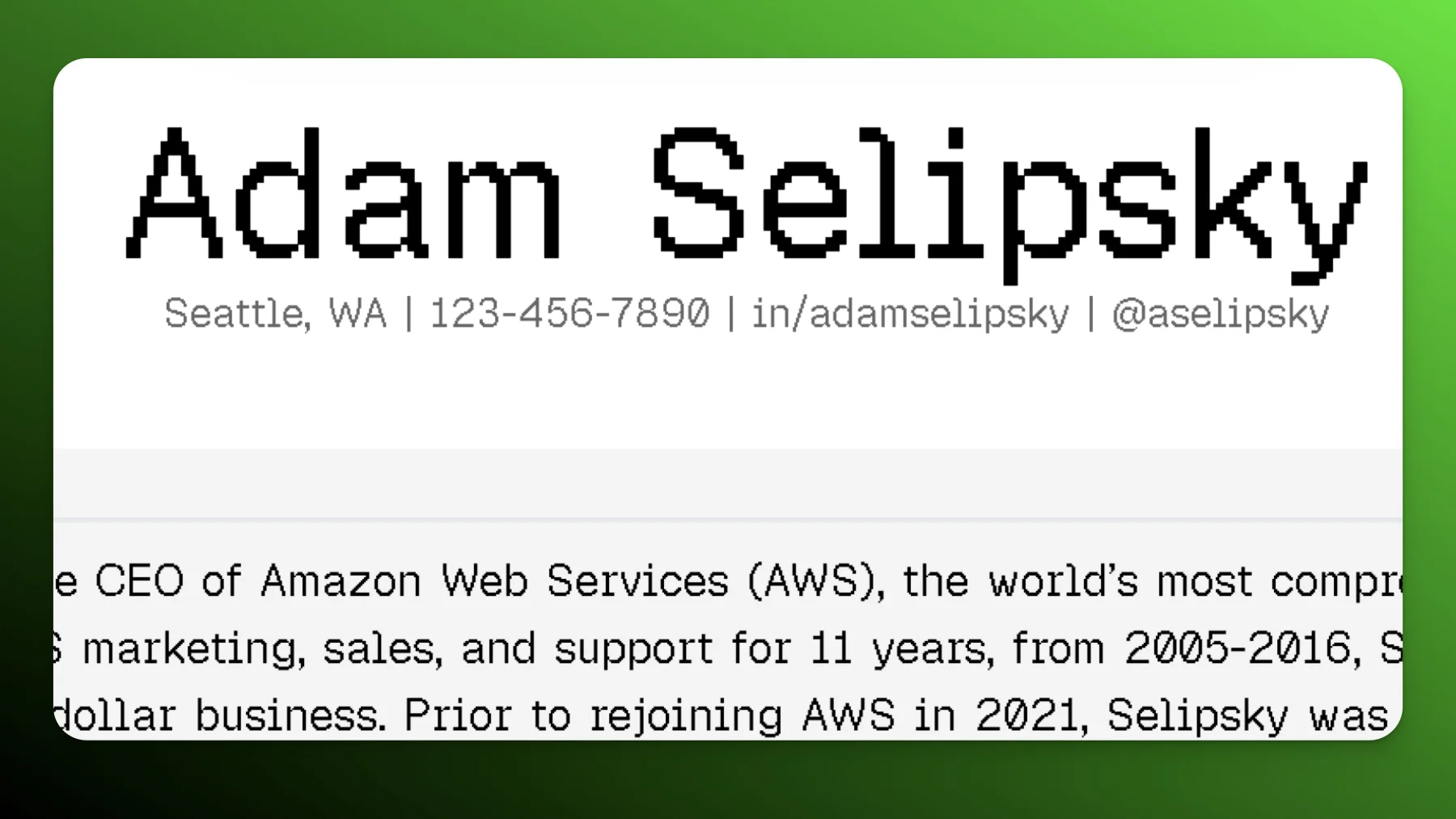
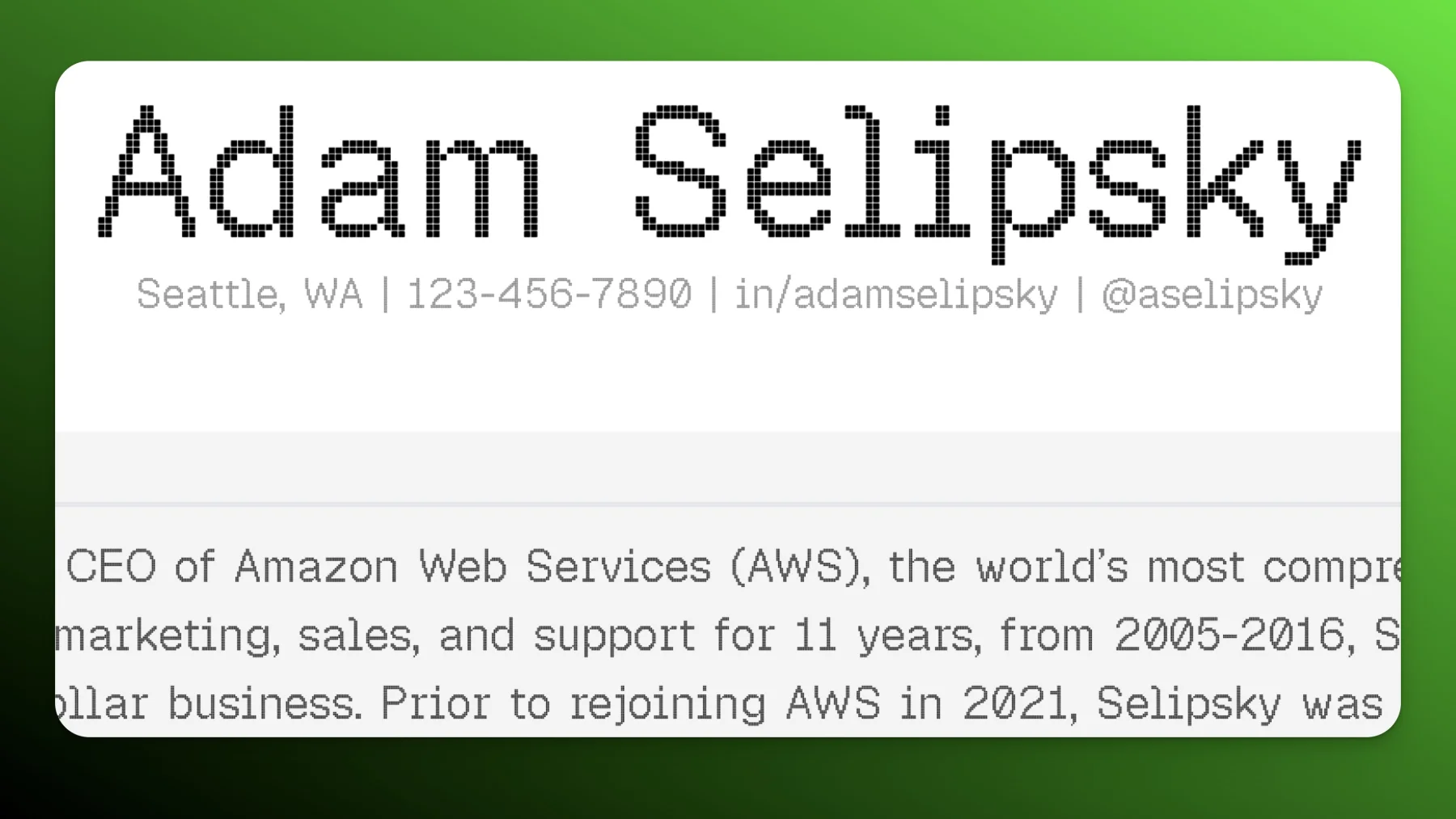
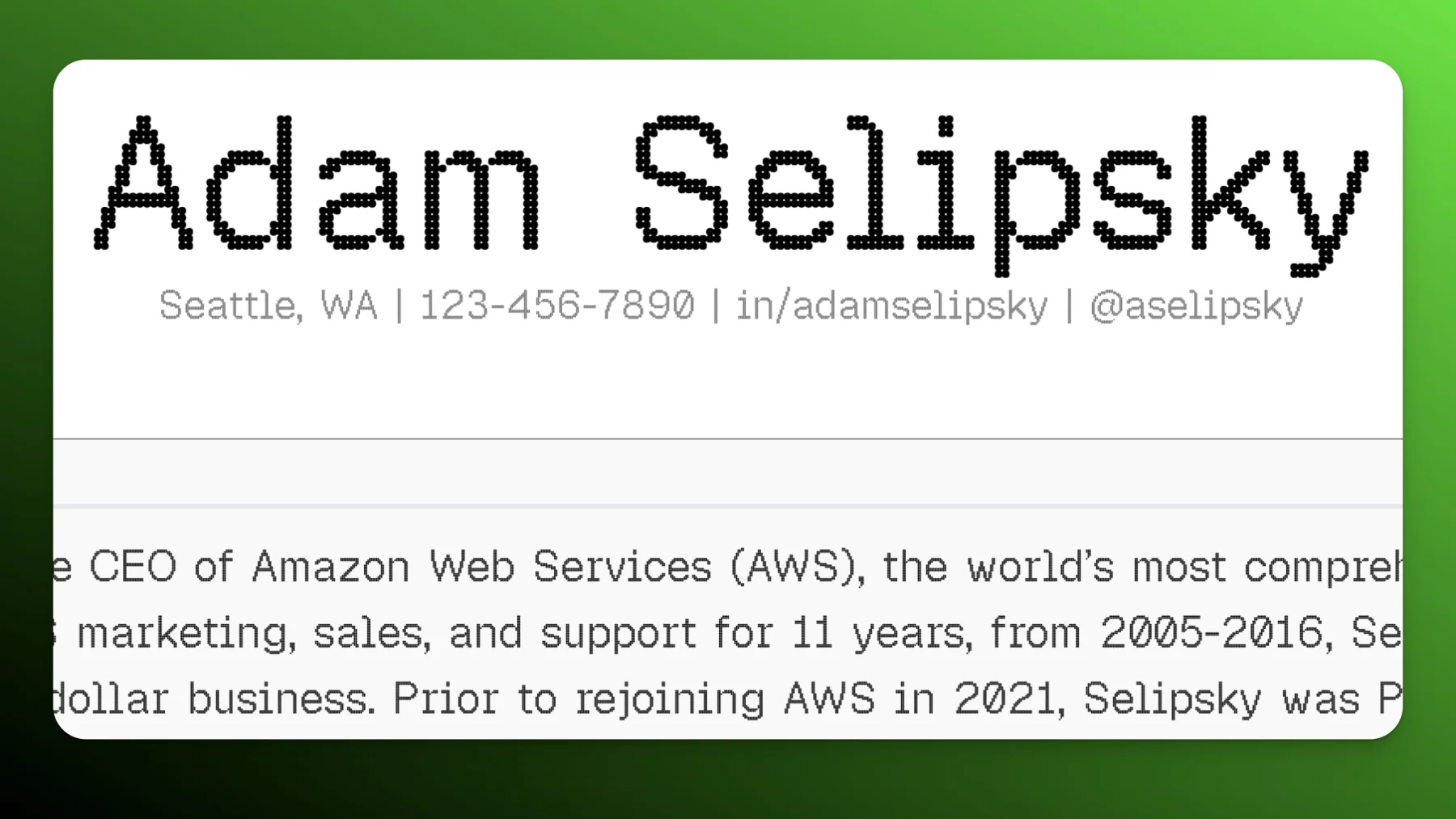
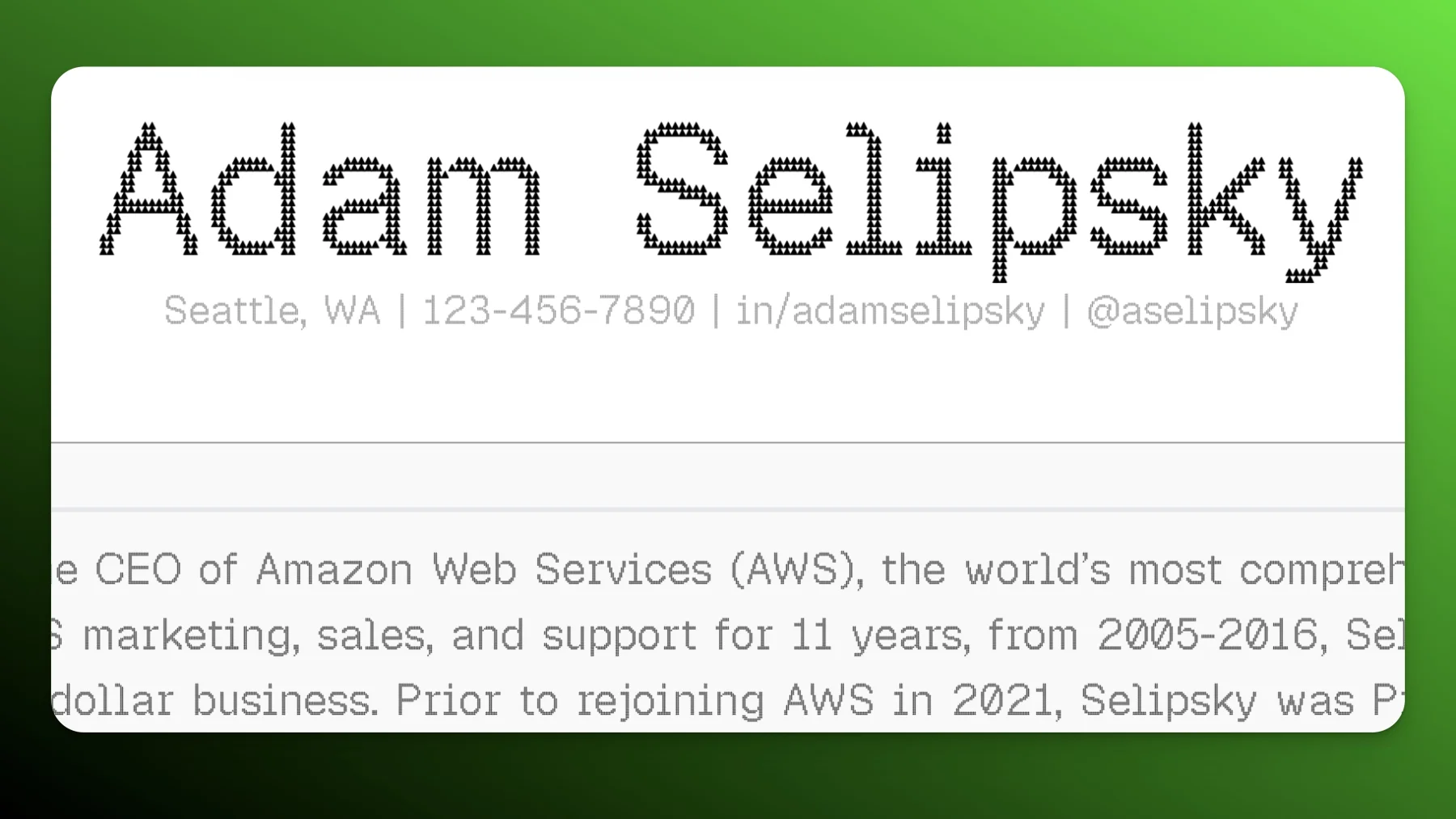
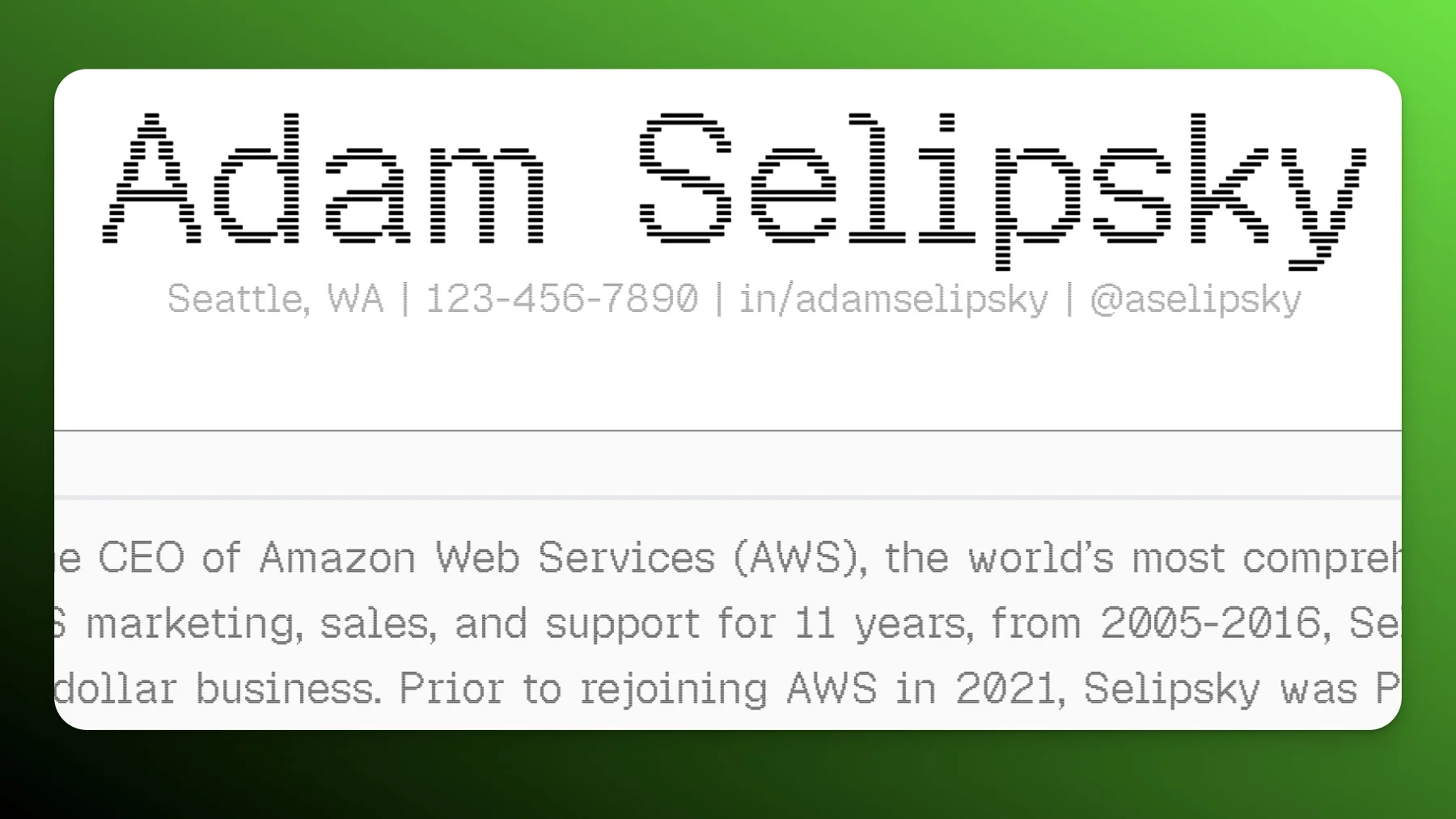
Each variant gives the text a different feel. Square is the classic bitmap look. Grid renders outlines only, almost stencil-like. Circle rounds everything off. Triangle references the Vercel brand (their logo is a triangle). Line caught our eye for a different reason.
The IBM Look
Geist Pixel Line renders each glyph as horizontal stripes. The classic IBM logo, designed by Paul Rand, uses the same treatment: horizontal lines sliced through bold letterforms. Set the Line variant in deep blue and the resemblance is obvious.
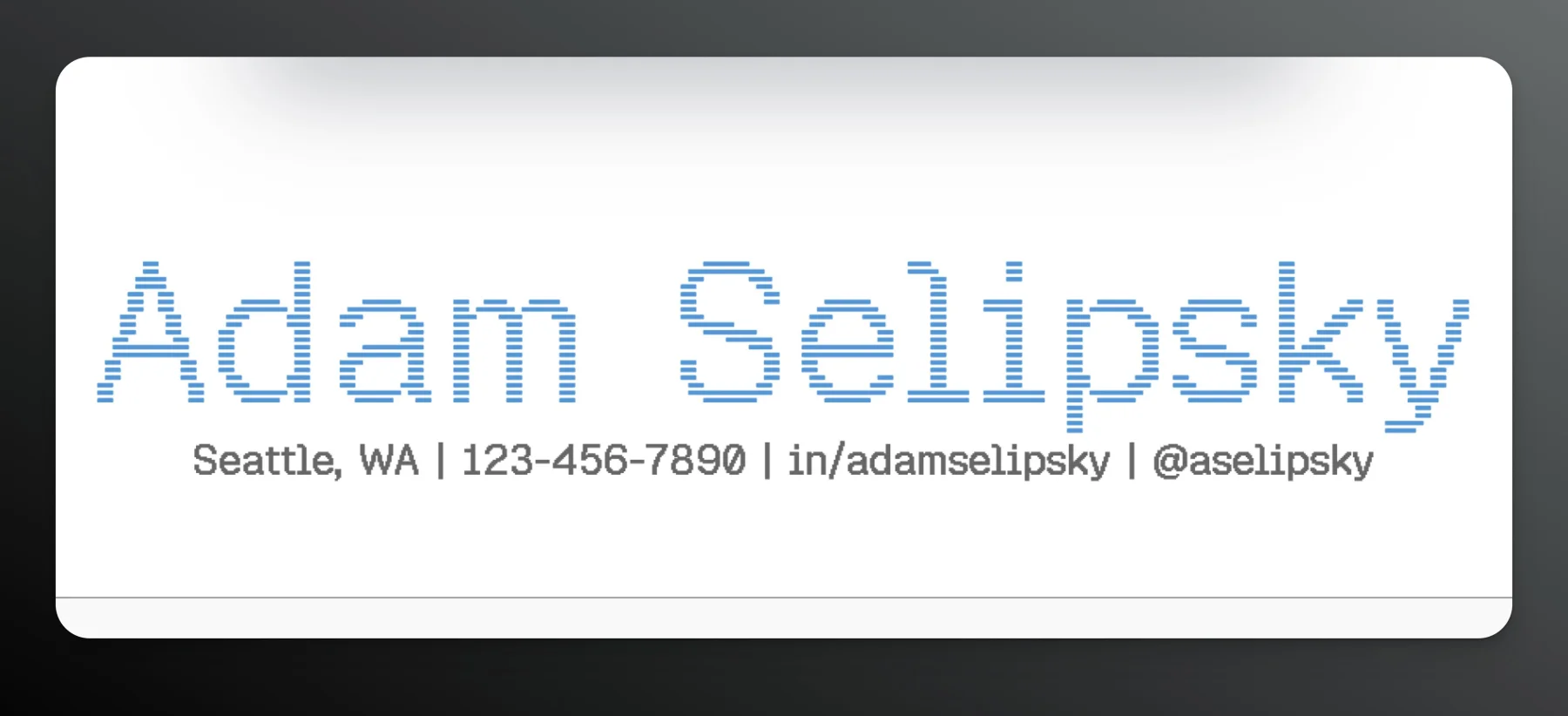
The horizontal-line treatment is one of the most recognizable design patterns in corporate identity. Your name in blue with that line texture is the kind of nameplate people actually remember after flipping through a stack of resumes.
Where Pixel Fonts Work Best
A full resume in a pixel font would be hard to scan. Bullet points and job descriptions need a clean sans-serif like Geist or Inter.
The nameplate is where pixel fonts earn their place. Text2Resume lets you set a separate heading font from your body font, so you can use Geist Pixel Line on your name and section titles while keeping body text in something conventional. A pixel nameplate on top of clean body text gives the resume a designed quality that most resumes lack.
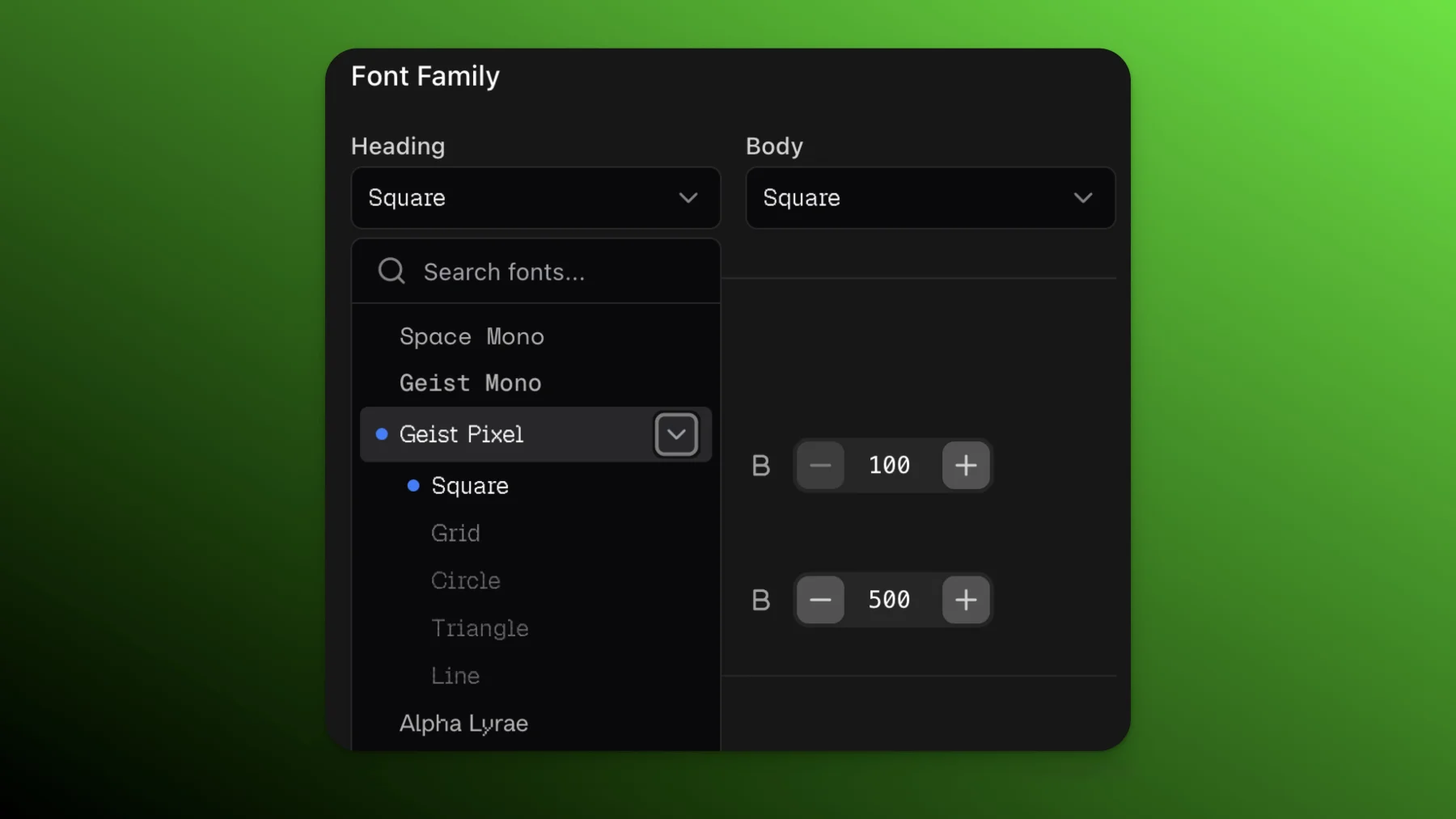
Separate heading and body font pickers with the Geist Pixel family expanded
For engineers and anyone in a technical role, the pixel aesthetic is immediately recognizable. Paired with good colors, it produces distinctive, memorable results.
Try It
All five Geist Pixel variants are in Text2Resume now. Open the style panel, expand the Geist Pixel family, and pick one. Free and open-source under the SIL license, same as the rest of the Geist family.
Try Geist Pixel on Your Resume
All five variants are available in the style panel. Set one as your heading font and see how it looks.
Related Articles
Creddle Templates 2026: How to Recreate the Classic Creddle Resume Style
Miss Creddle's resume templates? Here are the four most popular Creddle looks recreated in Text2Resume.
From Text to Resume: Build a Full Resume From a Chat Conversation
Talk to Rezzy about your background and get a full, structured resume in the editor. No file to upload. No LinkedIn required.