
Style Panel
The style panel controls typography, colors, layout, spacing, and margins directly. No templates.

Typography
Choose from 30+ fonts for your body text and heading text independently. You can set different fonts for your name and section titles versus your bullet points and descriptions.
- Font family — Separate controls for body and headings
- Font size — Independent size for name, section titles, headings, body text, dates, and contact info
- Font weight — Control boldness for each text element
- Line height — Adjust spacing between lines of text
- Letter spacing — Tighten or loosen character spacing
- Text transform — Uppercase, lowercase, or capitalize section titles
Colors
Hex color pickers for every text element:
- Name color
- Section title color
- Headline/subtitle color
- Contact info color
- Accent color
- Divider/line color
Layout
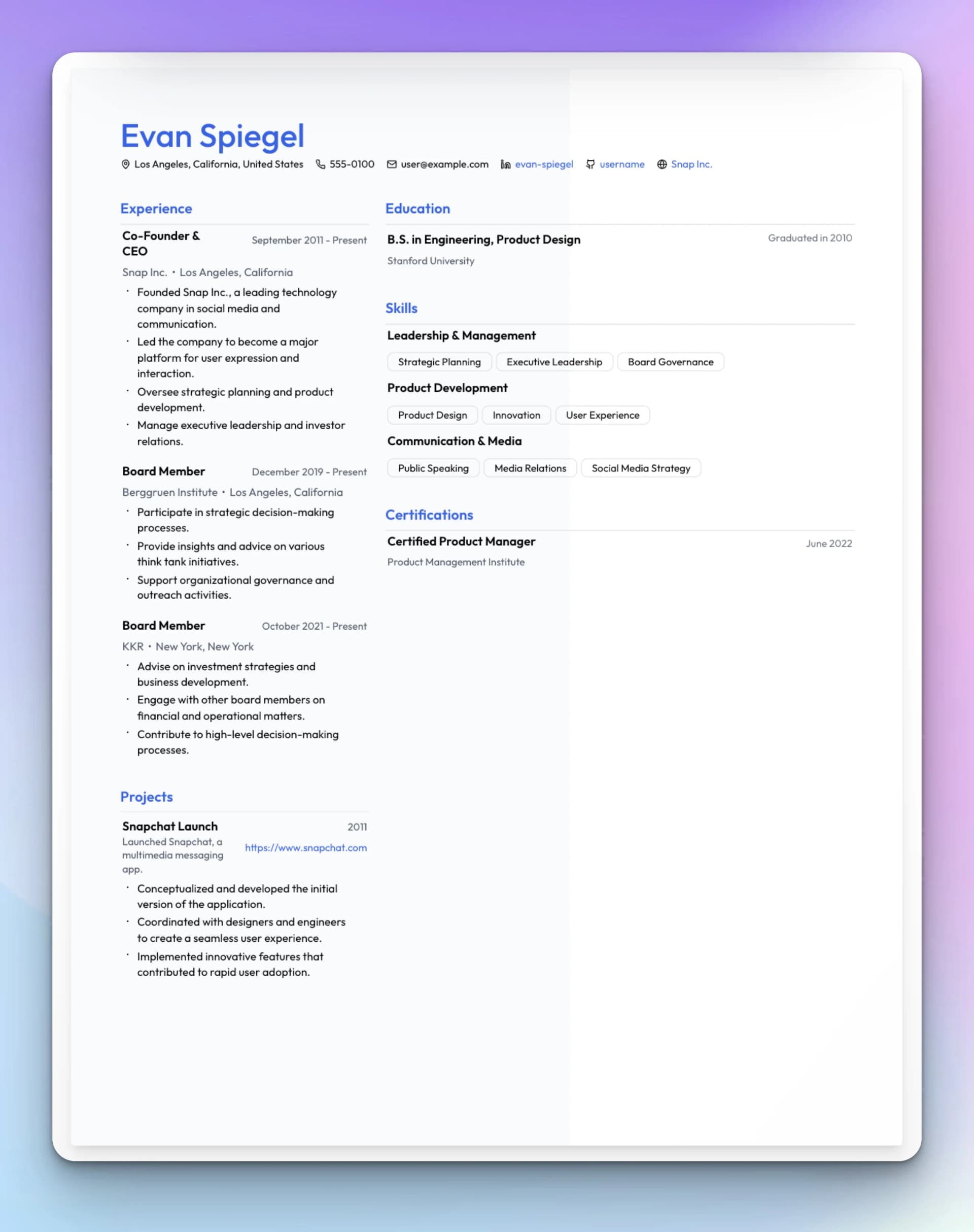
- Columns — Single column or two-column layout
- Header alignment — Left, center, or right-aligned header
- Contact layout — How contact info is arranged (inline, stacked, etc.)
- Bullet style — Disc, circle, square, dash, or none
- Skill display — Tags, comma-separated, or grouped by category
- Section visibility — Show or hide any section
- Section ordering — Drag sections to reorder them
Spacing
Fine-tune the vertical rhythm of your resume:
- Space between job items
- Space between skill categories
- Space between bullets
- Space between sections
- Nameplate spacing (gap below your name)
- Header spacing
Margins
Set A4 page margins in inches — top, bottom, left, and right independently.
Backgrounds
Add color fills to sections of your resume:
- Full page — Background color across the entire page
- Left half / Right half — Color fill on one side (works with two-column layouts)
- Header only — Background color behind the header area
Style Presets
Style presets apply a coordinated set of fonts, colors, and spacing in one click. Use a preset as a starting point, then customize individual settings.
Rezzy can adjust style settings too. "Make it look modern and minimal" or "use a professional blue color scheme" both work.